
Add a site
In Cloud → CDN enter your apex domain (for example example.com). If its DNS is hosted on whycloud, ownership is verified automatically; otherwise add the _whycloud-cdn TXT record shown to you at your current DNS provider. Once verified, the site becomes active and a free certificate is issued.
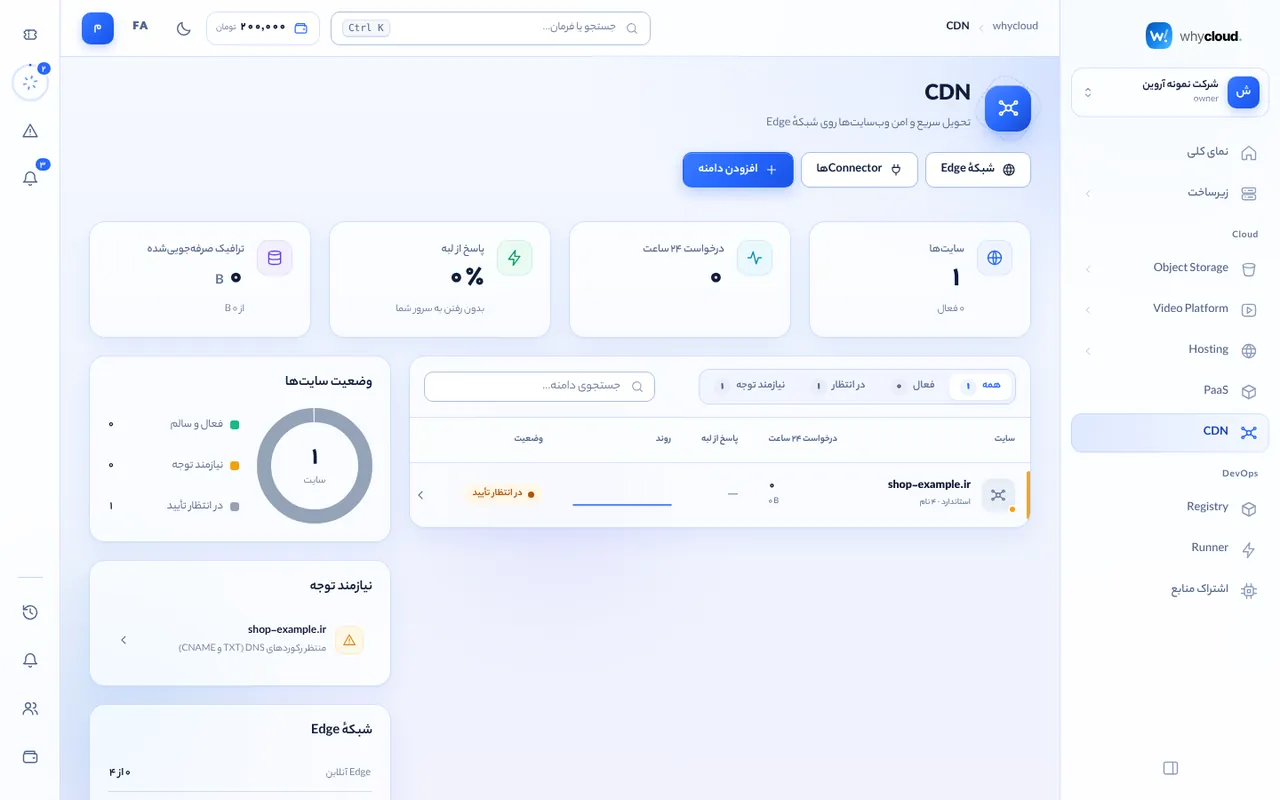
Connect DNS (point to the CDN)
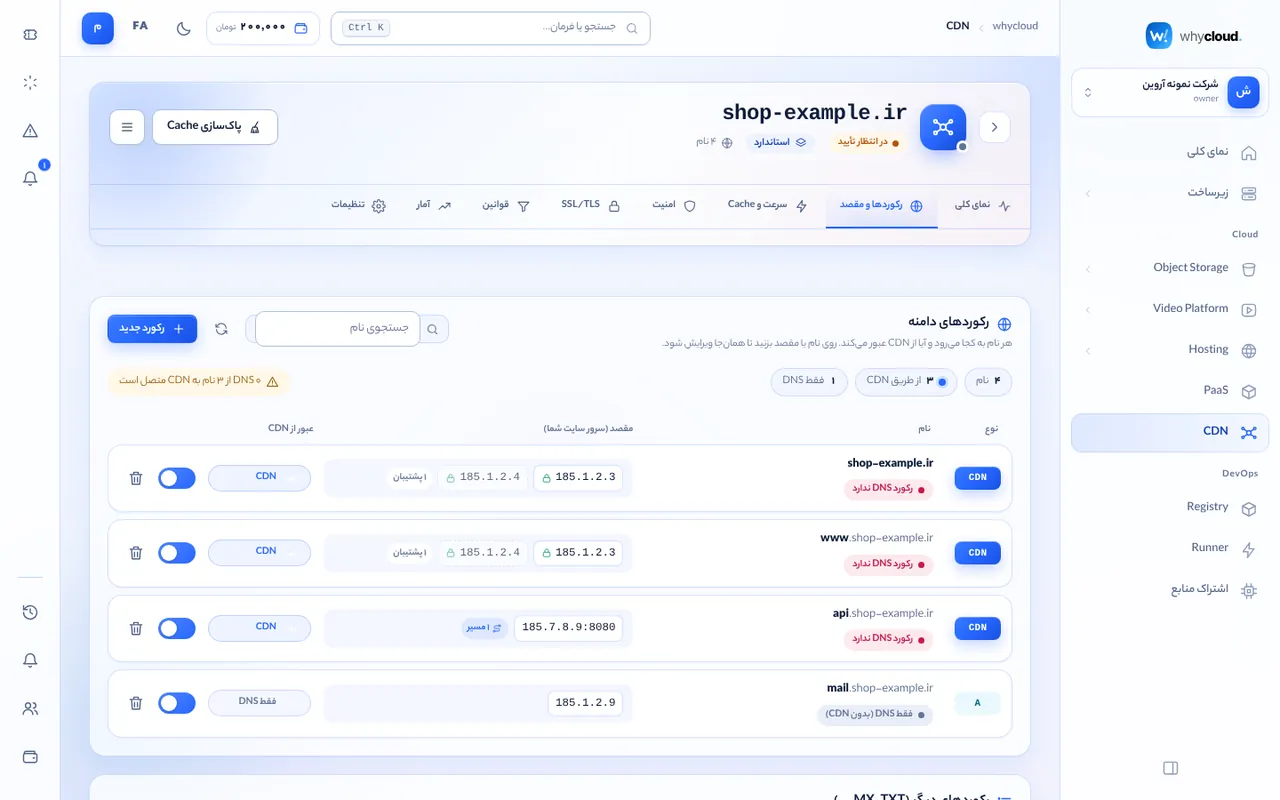
Visitors only pass through the CDN when each proxied name points to it in DNS. On whycloud DNS this is automatic. Elsewhere, create a CNAME for subdomains (such as www) to the target shown on the Records tab; for the apex (@) use ALIAS/ANAME if your provider cannot CNAME the root, or move DNS to whycloud. The status "DNS does not point to the CDN yet" means the name still resolves directly to your server or elsewhere, so its traffic bypasses the CDN; it turns green after you fix the record and the old TTL expires.
Records and destinations
There is no separate "origin server" to create. On the Records tab, give each name (@, www, api…) a destination: an IP, IP:port or an https:// address. Enter several servers separated by commas to balance load. Click a name or destination to edit it inline: protocol, weight, backup servers (used only when the others are down), balancing method (equal, least busy, or sticky per visitor) and health checks. Advanced options route specific paths (for example /api) to other servers and set Host header, SNI and timeouts. The orange cloud means traffic goes through the CDN; when off, the name is a plain DNS record.
Cache and purge
Static files (images, CSS, JS, fonts, video) are cached automatically; dynamic pages and requests with sign-in cookies bypass the cache. To purge, open "Purge cache" and pick specific URLs (search among the most requested cached paths), a folder, a file type (for example all CSS and JS after a release), a single host name, or the whole site. Purges reach every edge within seconds; a full purge sends more requests to your server for a few minutes.
SSL and security
Free certificates are issued and renewed for every active name; wildcard certificates require DNS on whycloud. Force HTTPS, set the minimum TLS version and HSTS. The WAF detects common attacks (SQL injection, XSS, path traversal) and blocks according to the chosen level; custom rules, rate limits and browser challenges live on the Security tab.
Reports
The analytics tab shows requests, bandwidth, cache ratio, status codes, busiest paths, visitor countries and ISPs. Country and ISP come from the ip66 database, refreshed daily; edges report only the visitor /24 (IPv6 /48) network and full IP addresses are not stored.
Smart routing
The whycloud CDN works without anycast: DNS answers for each name are chosen from measured real-user latency to every edge and edge health, so each visitor reaches the nearest healthy edge. This is automatic and needs no configuration.
Pricing
Traffic delivered to visitors is billed per GB and requests per million; blocked requests are free. Rates and this month’s usage are itemised on the Billing page.
Iran and international traffic (service areas)
whycloud CDN edges can have a service area: all, Iran only, everyone except Iran, or a list of countries. Steering DNS and apex records of CDN sites on public DNS answer with edges of the visitor’s region (using ECS); if a region has no healthy edge, other healthy edges are used to avoid an outage. The whycloud network team manages this; it applies to your site automatically.
Error pages
When your origin is unreachable (502/504), a request is blocked (403) or rate limited (429), visitors see a branded whycloud page with an explanation, a request Ray ID and automatic retry. Include the Ray ID in support tickets.